

AlternativesScheduling & time tracking
When I Work Alternatives: Free Tiers, Flat Rates and Per-Location Plans
When I Work alternatives compared on real cost: free tiers, flat 30-user rates and per-location plans, with scheduling and time clocks side by side.
Disclosure: we may earn a commission if you buy through links on this page. It costs you nothing extra and never decides a quick answer or an Our pick tag. How we make money.

Quick answer
Pick Connecteam if you want scheduling and a GPS time clock for up to 30 people at one flat price ($29/mo, billed yearly)2. Pick Homebase if you run one location with up to 10 staff and want it free3, and Sling if scheduling alone is enough and you have up to 30 users4.
At a glance
The alternatives at a glance
| # | Tool | Best for | Starting price | Link |
|---|---|---|---|---|
| 01 | Connecteam | Deskless teams that want a flat price for the first 30 users | Free up to 10 users; $29/mo for 30 users, billed yearlychecked 2026-11-21 | Visit (opens in a new tab) |
| 02 | Homebase | Single-location shops, cafes and restaurants | Free for 1 location and 10 employees; $30/location/mochecked 2026-11-21 | Visit (opens in a new tab) |
| 03 | Sling | Teams that mainly need a free shared schedule | Free up to 30 users; $1.70/user/mo billed annuallychecked 2026-11-21 | Visit (opens in a new tab) |
| 04 | Deputy | Multi-site teams that care about labor-law compliance | $5/user/mo billed annuallychecked 2026-11-21 | Visit (opens in a new tab) |
| 05 | 7shifts | Restaurants that want tips and payroll in the same tool | Free for 1 location and 15 staff; $44.99/location/mo billed annuallychecked 2026-11-21 | Visit (opens in a new tab) |
| 06 | Buddy Punch | Teams whose main job is accurate time punches and PTO | $4.99/user/mo + $19/mo base, billed annuallychecked 2026-11-21 | Visit (opens in a new tab) |
| 07 | Planday | Hospitality groups that want payroll reporting and an API | $2.99/user/mo, minimum 5 userschecked 2026-11-21 | Visit (opens in a new tab) |
| 08 | Shiftie | UK venues that want one simple plan | £2.75/employee/mo for the first 30checked 2026-11-21 | Visit (opens in a new tab) |
Prices are the lowest paid starting price on each vendor's public pricing page on the date shown, in US dollars, before tax. Confirm on the vendor's site before you buy.
The best When I Work alternatives for most hourly teams are Connecteam, Homebase and Sling, because each one gets cheaper than per-user pricing at a different headcount. When I Work charges per user, from $2.50 per user per month for a single location and $5 for multiple locations1. That’s reasonable for a team of 10. At 40 people across three sites, it adds up, and that’s when people go looking.
We compared eight scheduling tools that also clock people in and out, on the facts their own pricing pages showed on 2026-11-21. Nobody here was hands-on tested; we explain how we compare in how we compare, and how we handle affiliate links in our editorial policy. Some links below are affiliate links, and they never changed the order.
What When I Work charges today
When I Work prices per user per month: $2.50 for single-location teams and $5 for multi-location businesses, with monthly or annual billing and a 14-day free trial that needs no card1. Its FAQ says every plan includes employee scheduling, time and attendance software and team messaging1.
One caveat. When we loaded the page twice on the same day, it showed two layouts. One had Essentials at $2.50, Pro at $5 and Premium at $8 per user per month, with API access, webhooks and SAML/SSO on Premium and a “Time Tracking & Attendance” toggle on each card1. The other showed just the two location-based prices1. If SSO or the time clock matters to you, get the price in writing before you commit.
So the reasons to look elsewhere are usually cost at scale, a free plan, or features When I Work doesn’t lead with, such as tip pooling, payroll or HR.
What 25 staff cost on each tool
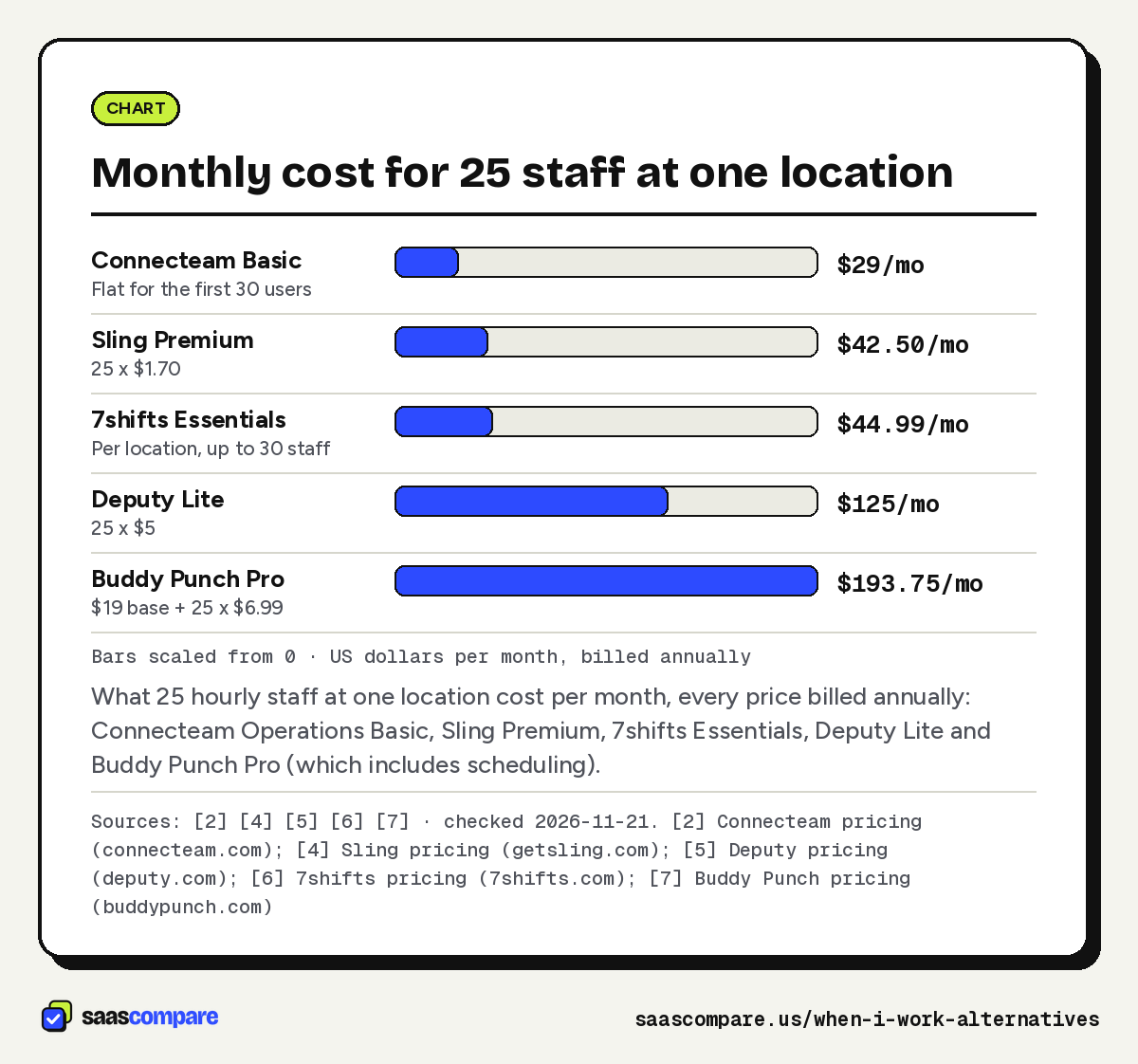
Here’s one location with 25 hourly staff, using each vendor’s own numbers:
| Tool and plan | How it’s priced | 25 staff, per month |
|---|---|---|
| When I Work (single location) | $2.50/user/mo1 | $62.50 |
| Connecteam Operations Basic | $29/mo flat for 30 users, billed yearly2 | $29 |
| Homebase Essentials | $30/location/mo, monthly billing3 | $30 |
| Sling Premium | $1.70/user/mo, billed annually4 | $42.50 |
| 7shifts Essentials | $44.99/location/mo, billed annually, up to 30 staff6 | $44.99 |
| Shiftie | £2.75/employee/mo, rolling monthly9 | £68.75 |
| Planday Starter | $2.99/user/mo, minimum 5 users8 | $74.75 |
| Deputy Lite | $5/user/mo, billed annually5 | $125 |
| Buddy Punch Pro | $6.99/user/mo + $19/mo base, billed annually7 | $193.75 |
Now stretch it to 60 staff across three locations. When I Work’s multi-location rate makes that $300 a month (60 × $5)1. Connecteam Advanced, which allows up to 6 schedules and 3 time clocks, comes to $124 a month on yearly billing ($49 plus 30 extra users at $2.50)2. Homebase Essentials is $90 (three locations × $30)3. The per-location tools pull ahead as headcount grows; the per-user tools pull ahead when you have a few people at many sites.
Bars scaled from 0 · US dollars per month, billed annually
What 25 hourly staff at one location cost per month, every price billed annually: Connecteam Operations Basic, Sling Premium, 7shifts Essentials, Deputy Lite and Buddy Punch Pro (which includes scheduling).
Sources: [2] [4] [5] [6] [7] · checked 2026-11-21Download image
Connecteam
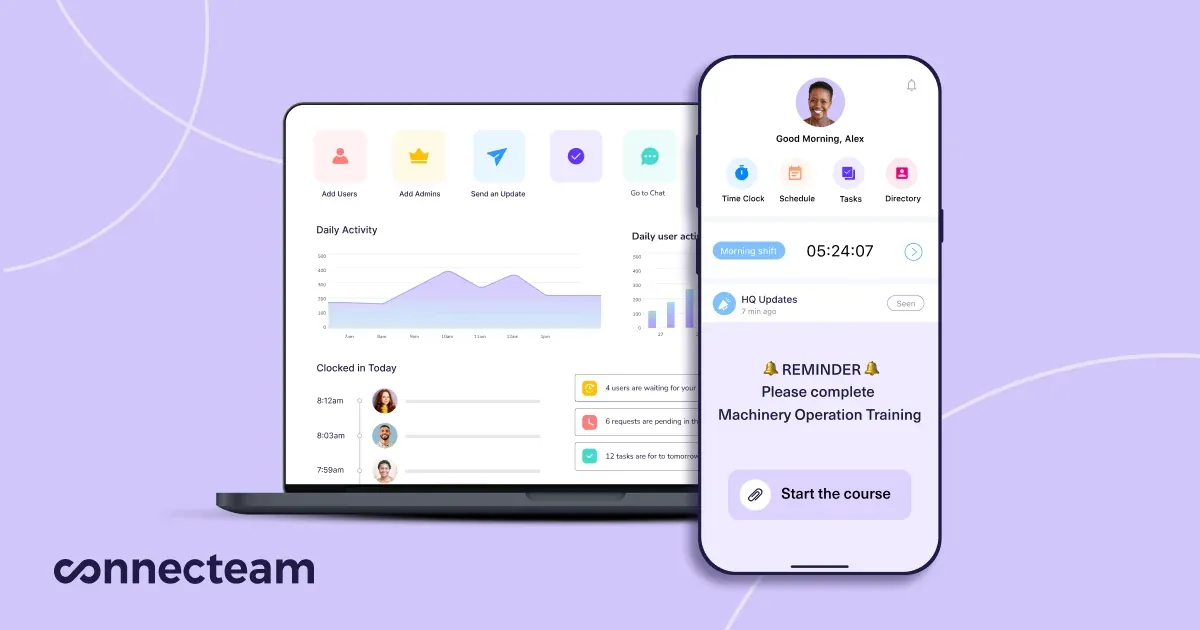
Best for deskless teams that want one flat price for the first 30 users. Connecteam sells its scheduling and time clock in an Operations hub. Basic is $29 a month billed yearly ($35 monthly) for the first 30 users, then $0.80 per extra user2. It includes real-time clock in and out with GPS, basic scheduling with open shifts, and a payroll integration2.
Advanced ($49 a month yearly for 30 users) adds auto clock out, up to 10 geofence sites, and repeating shifts and templates. Expert ($99) adds auto-assigned shifts, up to 12 schedules and API access2. If you have 10 people or fewer, the Small Business plan is free for life and covers all hubs, with a single time clock and a single schedule2.
Connecteam vs When I Work: at 30 users, Connecteam Basic is $29 a month on yearly billing; When I Work’s single-location rate is $7512. Connecteam also bundles chat and updates, which we cover in employee communication apps.
Homebase

Best for single-location shops, cafes and restaurants. Homebase prices per location, not per person. Basic is free for one location with up to 10 employees and includes basic scheduling, basic time tracking and a point-of-sale integration3. Essentials is $30 per location per month on monthly billing, with unlimited employees, advanced scheduling, advanced time tracking and team communication3.
Plus ($70 per location) adds an AI scheduling assistant, PTO controls, and departments and permissions; the page showed it at $0 under a limited-time payroll offer with terms attached3. All-in-One ($120) adds onboarding and HR and compliance3. Payroll is an add-on: the first 6 months free, then $49 a month plus $6 per employee paid3. New accounts get a 14-day All-in-One trial with no card3.
When I Work vs Homebase: at one location, When I Work costs $2.50 per user1 and Homebase Essentials is a flat $303, so Homebase is cheaper once you pass 12 people.
Sling
Best for teams that mainly need a free shared schedule. Sling’s Free plan covers up to 30 users with shift scheduling, time-off requests, available shifts, news sharing and private messaging4. That’s the biggest free scheduling plan here, but it has no time tracking.
Premium is $1.70 per user per month billed annually ($2.00 monthly) and adds mobile time tracking, labor cost management, overtime tracking and group messaging4. Business is $3.40 per user billed annually ($4.00 monthly) and adds kiosk time tracking, reports, no-show and sick call-out tracking, and PTO management4. Paid plans come with a 15-day trial4.
Sling vs When I Work: both price per user, but Sling Premium is $1.70 against When I Work’s $2.5014. If you only need the schedule, Sling’s free plan covers 30 people.
Deputy
Best for multi-site teams that care about labor-law compliance. Deputy’s Lite plan is $5 per user per month on annual billing and includes basic scheduling, timesheets and time clocking, labor law compliance, shift swaps, leave and availability, and messaging5. Core ($6.50) adds auto-scheduling, biometric time clocking, demand forecasting and wage budgets. Pro ($9) adds custom access levels, location hierarchies and SSO5.
Monthly plans carry a $30 minimum monthly spend5. HR is a $2 per user add-on, and Deputy Payroll is $8 per user plus a $49 monthly base fee, available on annual Core and Pro plans in the US5.
7shifts
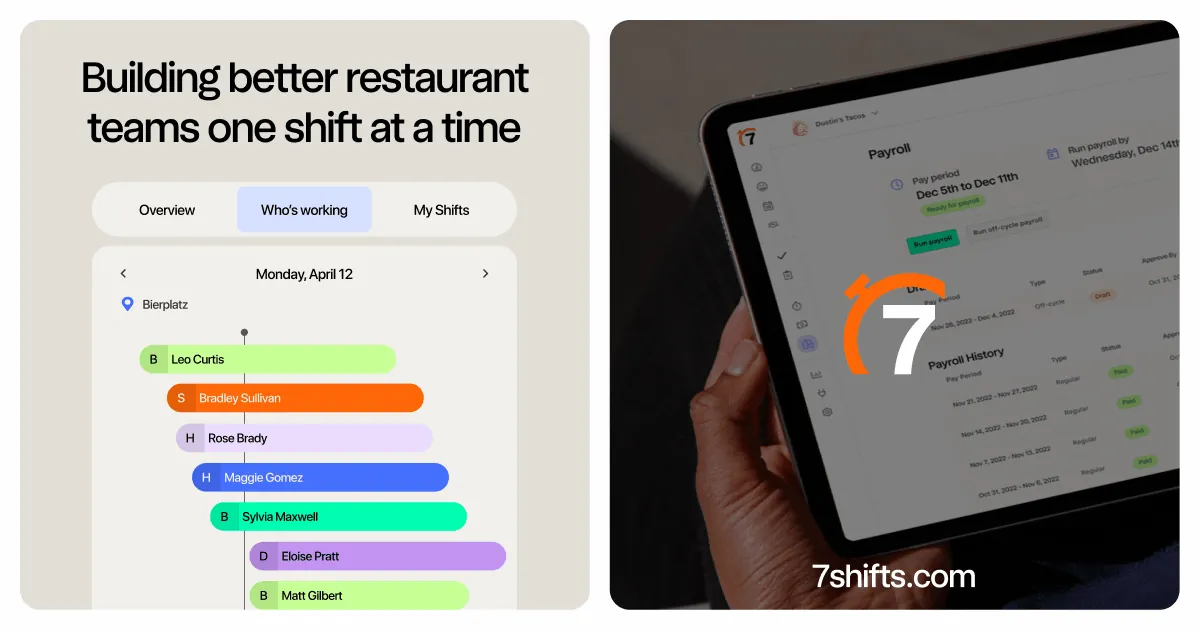
Best for restaurants that want tips and payroll in the same tool. 7shifts prices per location. For teams of 1 to 30 employees, Essentials is $44.99 per location per month billed annually and covers up to 30 employees, with advanced scheduling, team messaging and time clocking6. Premium ($134.99 per location) adds tip management, 7shifts Payroll (plus $6 per employee paid), task management and employee training6.
The free Comp plan covers a single location with up to 15 employees and lists basic scheduling, availability, time-off requests and one-way announcements, with no time clock listed6. Larger teams see different tiers: at 31+ employees the page shows Pro at $89.99 per location for up to 60 staff6.
Buddy Punch
Best for teams whose main job is accurate punches and PTO. Buddy Punch starts with the time clock. Every plan adds a $19 monthly base fee to the per-user price: Starter is $4.99 per user per month billed annually ($5.99 monthly), Pro $6.99 and Advanced $12.997. All plans include the time clock and time-off tracking7.
Scheduling is a $1 per user add-on on Starter and included from Pro, which also adds basic geofencing7. Payroll is a separate add-on at $8 per user plus a $49 base fee7. There’s a 14-day trial with no card7. Pick it when time and attendance is the problem and the schedule is secondary.
Planday
Best for hospitality groups that want payroll reporting and an API. Planday Starter is $2.99 per user per month with a 5-user minimum and covers scheduling, simple time tracking, working-time rules with compliance warnings, basic payroll reporting and team communication8. Plus is $4.49 per user plus a $15 monthly subscription fee, with a 10-user minimum, and adds leave and absence management, payroll integrations and API access8.
Users are billed in bundles of five, so 23 users are billed as 25, and you can pay monthly or quarterly8. SMS messages and onboarding help cost extra8. The trial runs 30 days with no card8.
Shiftie
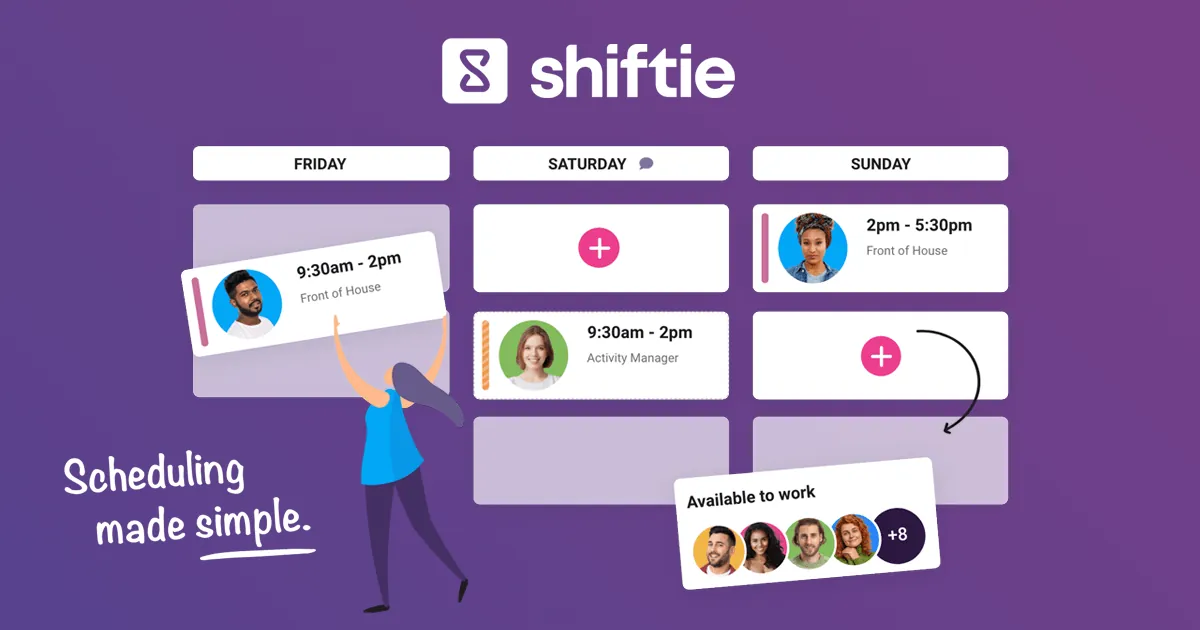
Best for UK venues that want one simple plan. Shiftie has a single price: £2.75 per employee per month for the first 30, then £1.50 for each additional employee9. That one plan includes scheduling, availability, HR management, leave, documents, time clock and timesheets, multiple venues, team messaging and reports9.
It’s a rolling monthly contract with no setup fee, and you’re billed each month for users who were active the month before9. The trial is 28 days with no card9. US teams should note the pricing is in pounds.
How to choose
Start with your headcount and your number of locations, then check which plan includes the time clock:
- Up to 10 people: Connecteam’s free plan includes a time clock and a schedule2. Homebase is also free at one location3.
- 11 to 30 people at one site: Connecteam Basic ($29 a month yearly)2 or Homebase Essentials ($30 a month)3 usually beat per-user pricing.
- Schedule only, no clock: Sling Free covers 30 users4.
- Restaurants: 7shifts, for tips and payroll in one place6.
- Many sites, compliance heavy: Deputy5 or Planday8.
- Punches first, schedule second: Buddy Punch7.
- UK teams: Shiftie9.
Run the numbers at the headcount you expect in a year, not today. Per-location and flat-rate plans get cheaper per head as you grow; per-user plans don’t.
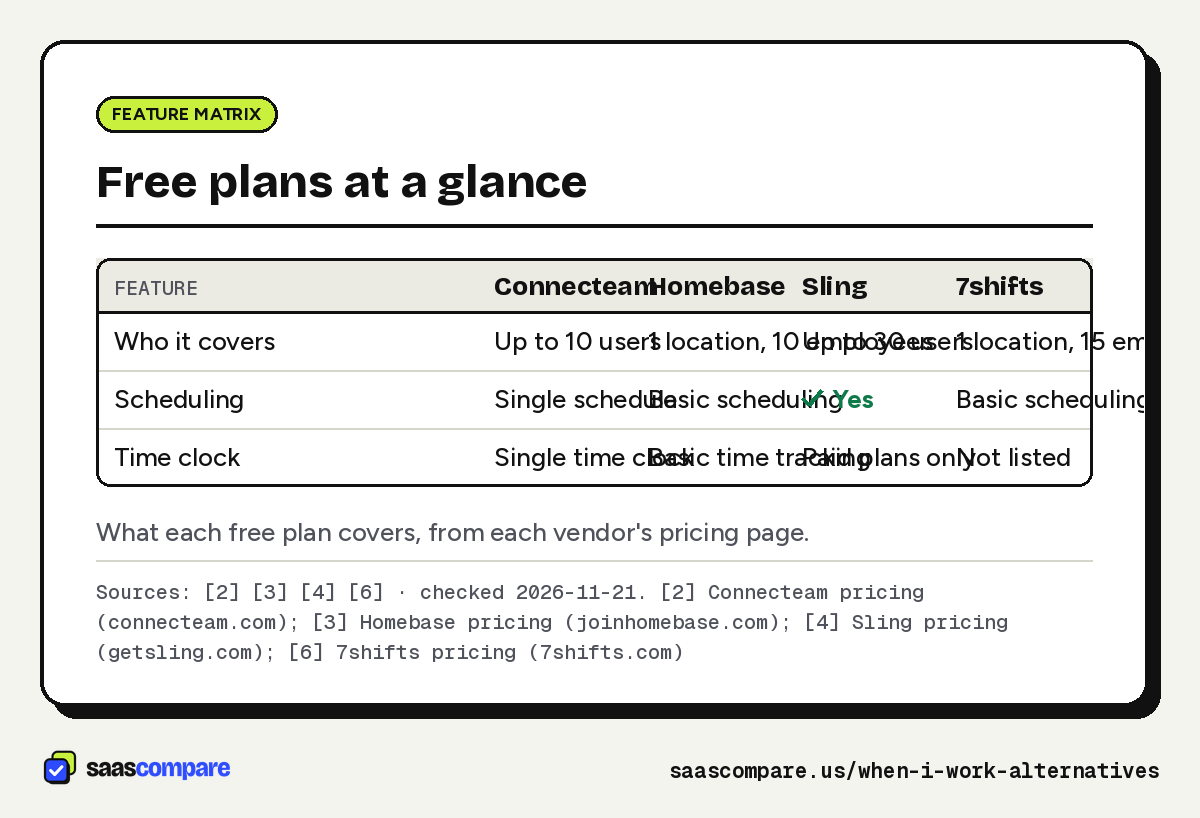
| Feature | Connecteam | Homebase | Sling | 7shifts |
|---|---|---|---|---|
| Who it covers | Up to 10 users | 1 location, 10 employees | Up to 30 users | 1 location, 15 employees |
| Scheduling | Single schedule | Basic scheduling | Yes | Basic scheduling |
| Time clock | Single time clock | Basic time tracking | Paid plans only | Not listed |
What each free plan covers, from each vendor’s pricing page.
Sources: [2] [3] [4] [6] · checked 2026-11-21Download image
When to stay on When I Work
Stay if your team is small and spread across few locations, because $2.50 per user per month is already low for a single site1. Stay if your managers have built templates and shift-swap habits in it; switching costs a few weeks of retraining. And stay if your payroll runs through its integrations or its Rippling offer, which gives new customers six free months of Rippling payroll1. If none of the price examples above beat your current bill, don’t switch for the sake of it.
Plans
Plans and prices
Connecteam
Small Business
$0
Up to 10 users · checked 2026-11-21
- All hubs
- Single time clock
- Single schedule
Operations Basic
$29/mo
Billed yearly, first 30 users, then $0.80/user/mo · checked 2026-11-21
- GPS clock in and out
- Basic scheduling with open shifts
- Payroll integration
Operations Advanced
$49/mo
Billed yearly, first 30 users, then $2.50/user/mo · checked 2026-11-21
- Auto clock out
- Up to 10 geofence sites
- Repeating shifts and templates
Homebase
Basic
$0
1 location, up to 10 employees · checked 2026-11-21
- Basic scheduling
- Basic time tracking
- POS integration
Essentials
$30/location/mo
Monthly billing, unlimited employees · checked 2026-11-21
- Advanced scheduling
- Advanced time tracking
- Team communication
All-in-One
$120/location/mo
Monthly billing, unlimited employees · checked 2026-11-21
- Employee onboarding
- HR and compliance
Sling
Free
$0
Up to 30 users · checked 2026-11-21
- Shift scheduling
- Time-off requests
- Private messaging
Premium
$1.70/user/mo
Billed annually ($2.00 monthly) · checked 2026-11-21
- Mobile time tracking
- Labor cost management
- Overtime tracking
Business
$3.40/user/mo
Billed annually ($4.00 monthly) · checked 2026-11-21
- Kiosk time tracking
- Reports
- PTO management
Strengths and limits
Strengths and limits
Connecteam
Visit Connecteam (opens in a new tab)Strengths
- Flat monthly price covers the first 30 users
- Free plan for up to 10 users includes every hub
Limits
- Basic allows a single time clock and one schedule
- Monthly billing costs more ($35 instead of $29 for Basic)
Homebase
Visit Homebase (opens in a new tab)Strengths
- Priced per location, not per employee
- Free plan includes a time clock
Limits
- Free plan stops at one location and 10 employees
- Payroll is a separate add-on
Strengths
- Largest free scheduling plan in this list (30 users)
- Lowest paid per-user price here
Limits
- No time tracking on the free plan
- Kiosk clock-in needs the Business plan
Strengths
- Labor law compliance tools on the entry plan
- Auto-scheduling and biometric clocking on Core
Limits
- $30 minimum monthly spend on monthly plans
- HR and payroll are paid add-ons
Strengths
- Per-location price for up to 30 employees
- Tip management and payroll on Premium
Limits
- Free Comp plan lists no time clock
- Built around restaurant workflows
Buddy Punch
Visit Buddy Punch (opens in a new tab)Strengths
- Time clock and PTO tracking on every plan
- Geofencing from the Pro plan
Limits
- Scheduling costs $1/user/mo extra on Starter
- $19 base fee on top of per-user pricing
Strengths
- Working-time rules and compliance warnings on Starter
- Monthly or quarterly billing
Limits
- Billed in bundles of five users
- Plus adds a $15 monthly fee and a 10-user minimum
Strengths
- One plan with time clock, leave and HR included
- Rolling monthly contract, no setup fee
Limits
- Priced in pounds and aimed at UK teams
- No free plan, only a 28-day trial
FAQ
Questions people ask
What is the cheapest When I Work alternative?
When I Work vs Homebase: which costs less?
Connecteam vs When I Work: what's the pricing difference?
Does When I Work include a time clock?
Its pricing FAQ says every plan includes employee scheduling, time and attendance software and team messaging, though one version of the page shows time tracking as a toggle on each plan1. Confirm what your quote includes during the 14-day trial.
Sources
Sources
Small numbers in the text, like 1, point here. Each source shows the date we last checked it.
- 1When I Work pricingwheniwork.com
- 2Connecteam pricingconnecteam.com
- 3Homebase pricingjoinhomebase.com
- 4Sling pricinggetsling.com
- 5Deputy pricingdeputy.com
- 67shifts pricing7shifts.com
- 7Buddy Punch pricingbuddypunch.com
- 8Planday pricingplanday.com
- 9Shiftie pricingshiftie.co
Updated . See something out of date? Tell us and we will check it against the vendor's page.